
Download How to Count to 100 – bis 100 zählen, zählen lernen, mehrsprachiges Zählen, Zahlenlernen, Bildungs‑App, Kinderlernen, Aussprache‑Übung, Mathematik für Kinder, Zählspiel, Sprachlern‑Tool
Übersicht
Hauptfunktionen & Funktionalität
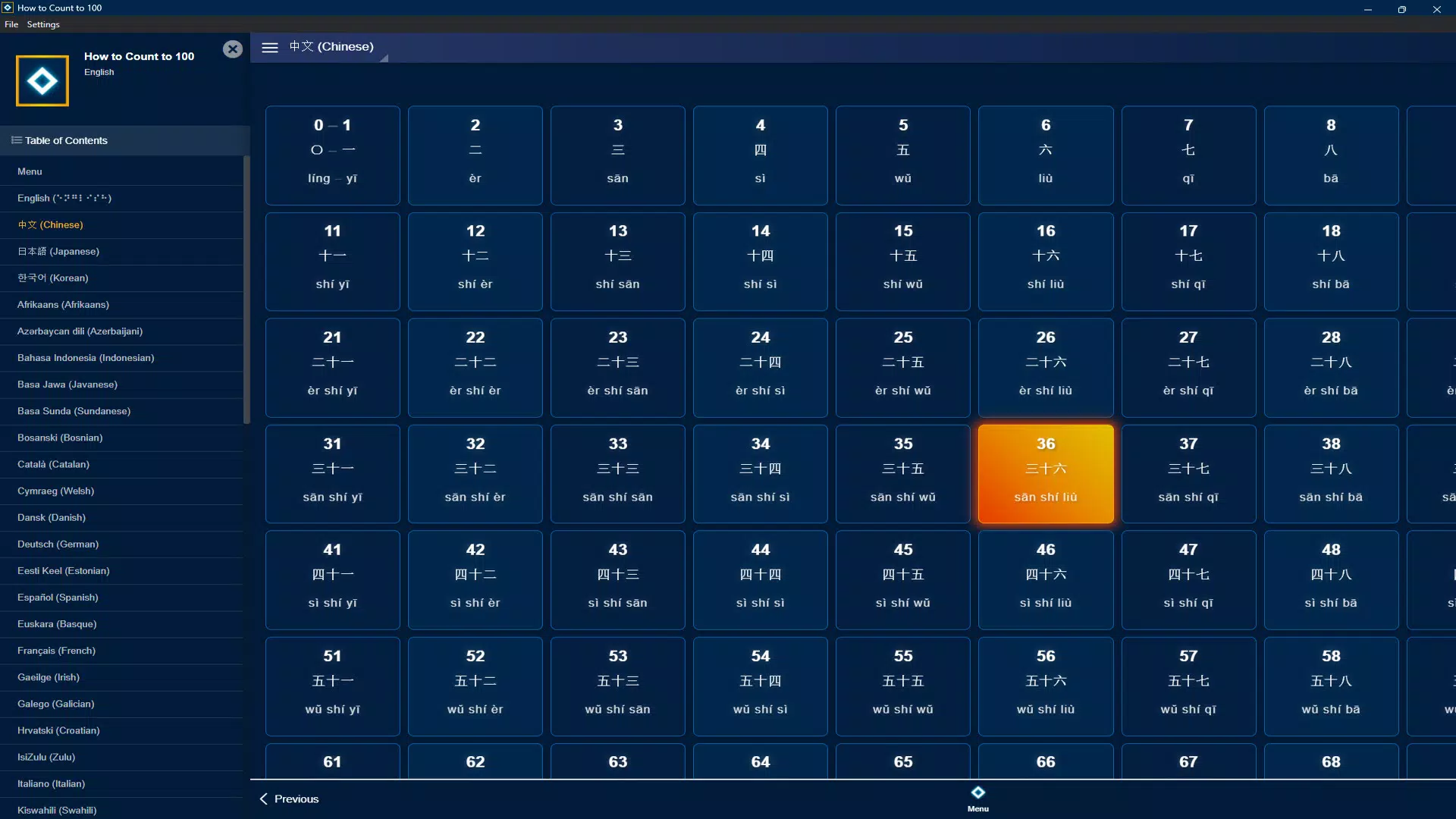
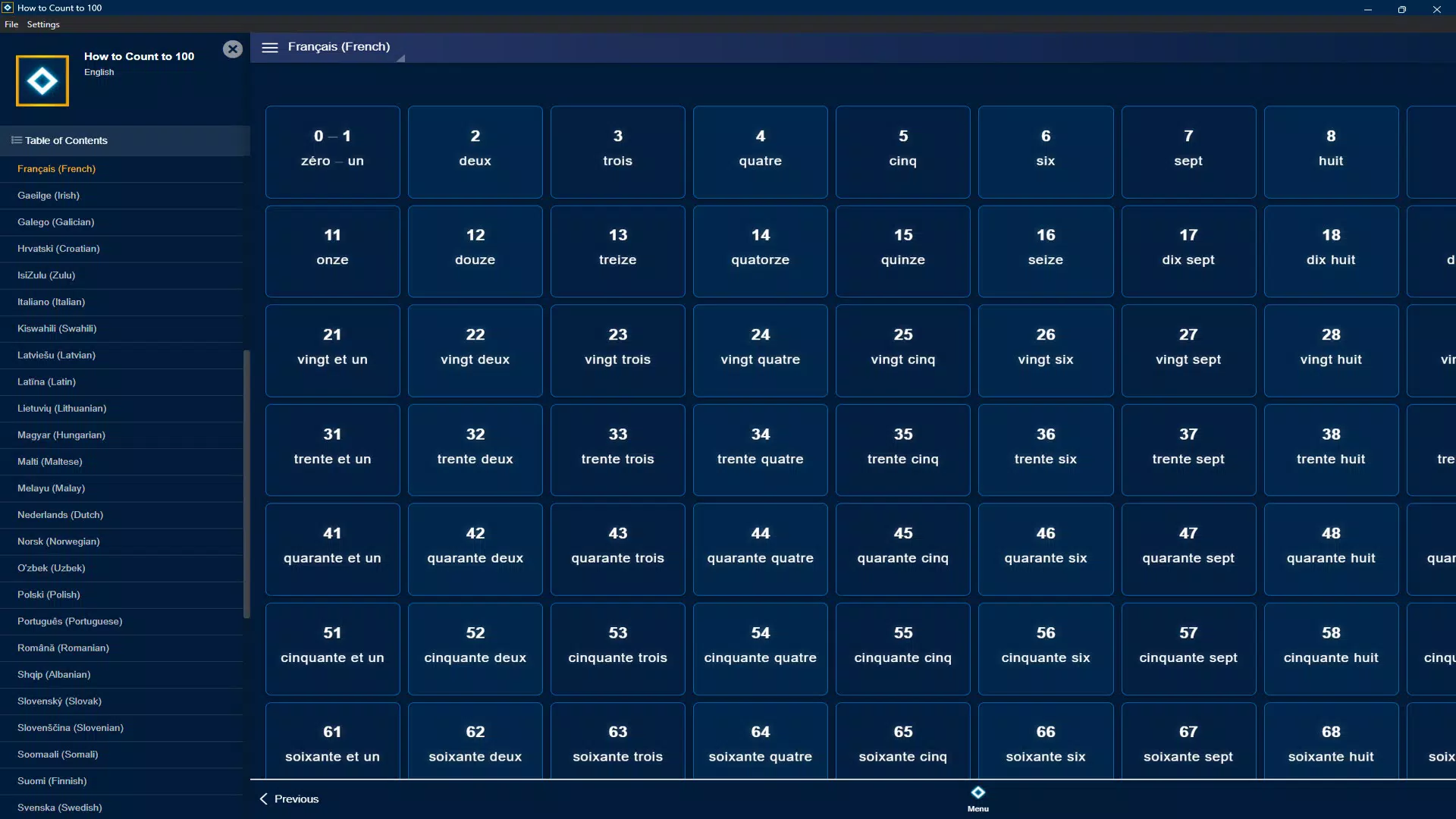
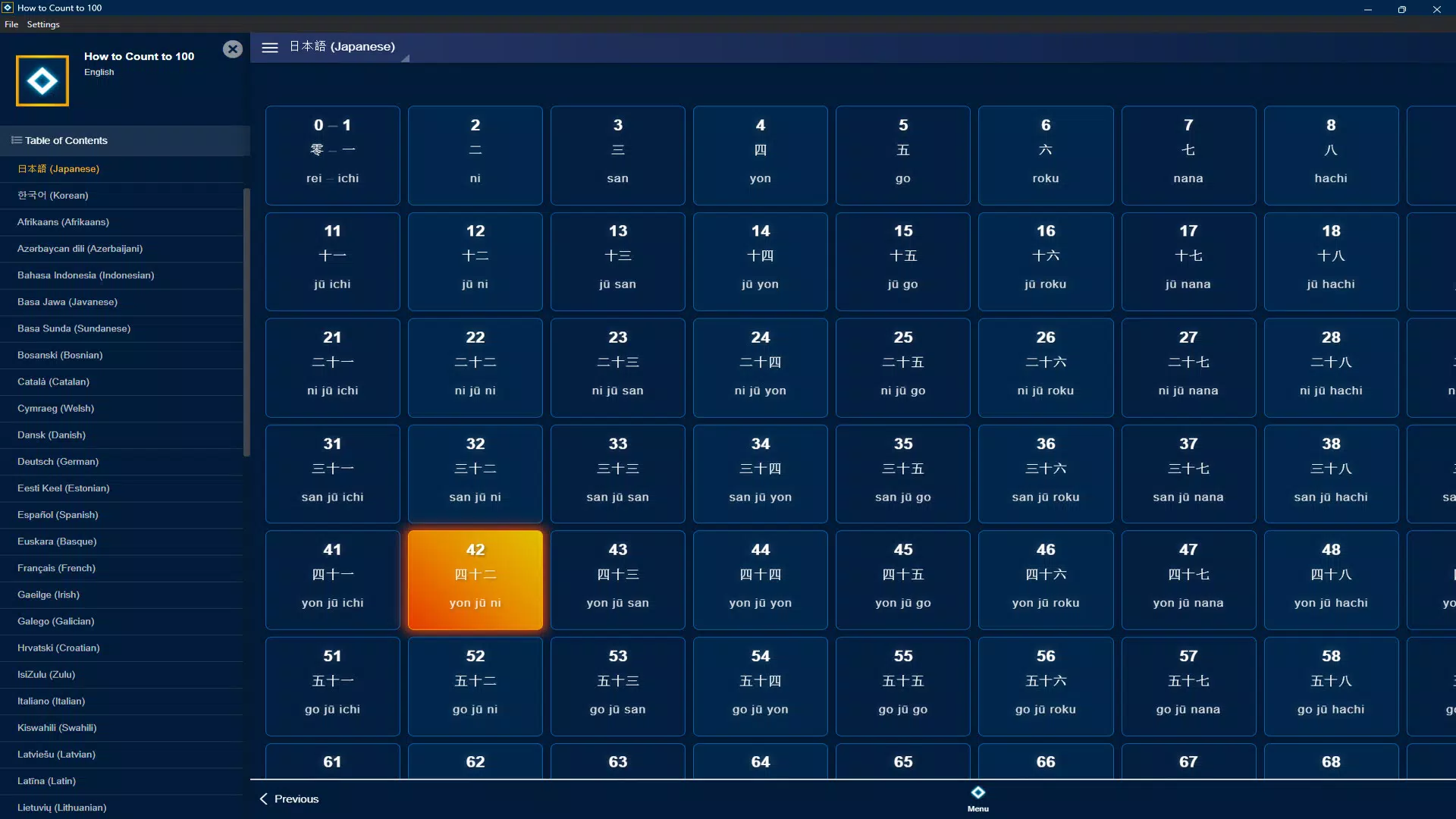
The app delivers a focused set of features designed to enhance number learning through repetition, auditory feedback, and visual engagement. Each feature is structured to support cognitive retention and active participation.- Mehrsprachiges Zählsystem: Users can switch between over a dozen languages, including English, Japanese, Chinese, and Korean, to hear numbers pronounced in authentic accents. This feature supports language learners in practicing number pronunciation across different linguistic systems.
- Sofortige Sprachausgabe: Every number from 1 to 100 is accompanied by embedded voice recordings, enabling users to hear correct pronunciation instantly. This real-time auditory feedback is essential for developing accurate speech patterns and improving listening skills.
- Interaktive Lernumgebung: The interface encourages engagement through responsive elements that respond to taps or swipes, making the process of counting feel dynamic rather than passive. This interactivity helps maintain attention, especially among younger users.
- Progressiver Lernansatz: Numbers are introduced in a structured sequence, allowing learners to build confidence gradually. This method prevents cognitive overload and supports long-term retention by reinforcing familiarity through repetition.
- Visuelle und auditive Hilfsmittel: Each number is paired with clear visuals and distinct audio cues, creating a multisensory learning experience. This dual-modality approach benefits both auditory and visual learners, increasing comprehension and recall.
Benutzeroberfläche, UX & Leistung
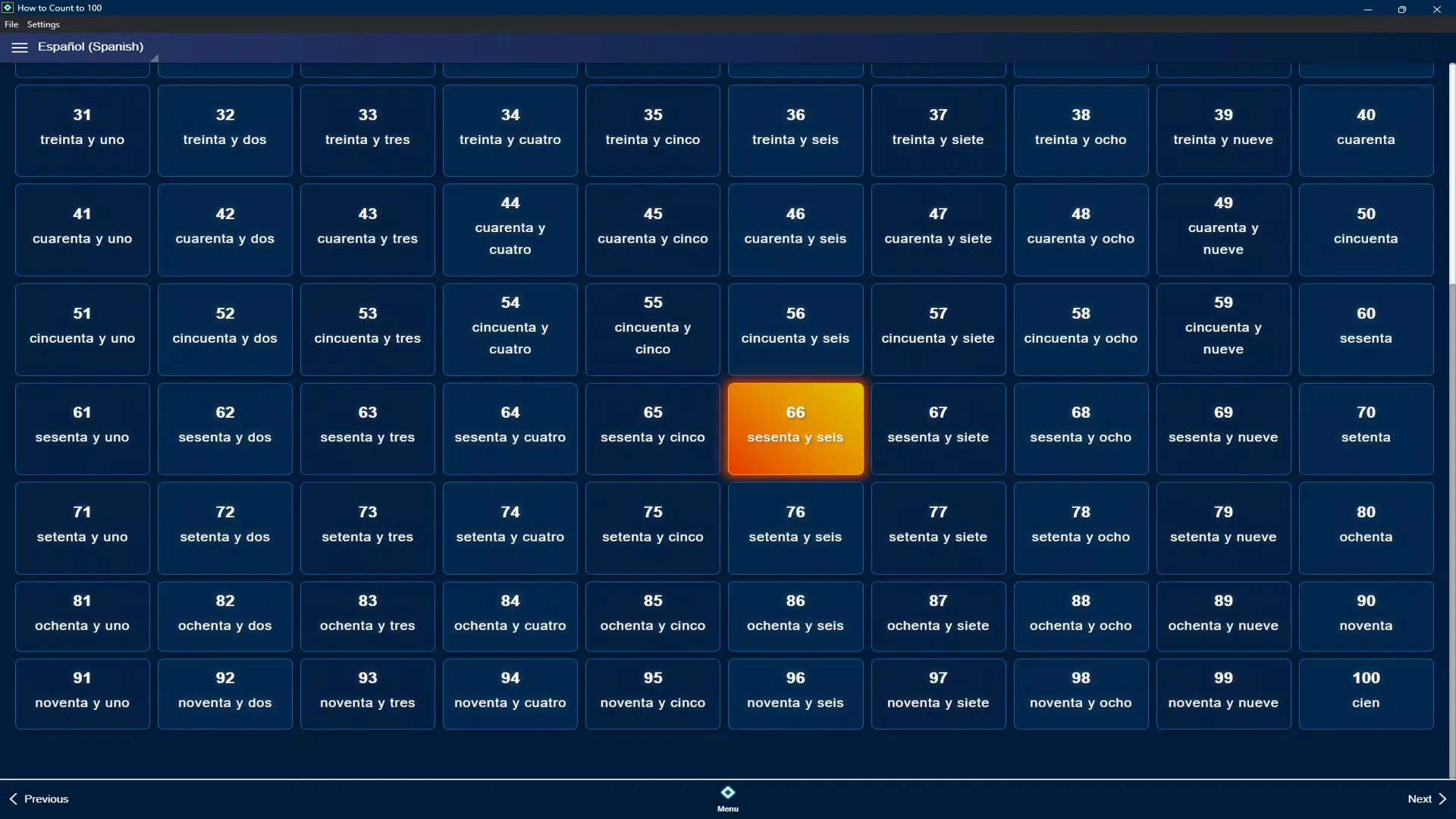
The user interface of How to Count to 100 is designed with simplicity and clarity in mind, prioritizing ease of use for young children and non-technical users. The layout presents numbers in a clean, grid-like format, with each number clearly labeled and accompanied by its spoken form. Navigation is intuitive, relying on tap-based interaction that requires minimal instruction. The visual style is bright and uncluttered, avoiding distractions that could hinder focus during learning. Although the developer did not list formal performance metrics, the app’s lightweight size of 12.4 MB suggests efficient resource usage, which likely contributes to smooth operation across a range of Android devices. Responsiveness is consistent across screen sizes, with elements adapting fluidly to different resolutions. Stability appears to be a strength, as no reports of crashes or freezes were mentioned in the provided materials. The app functions without requiring complex setup or permissions, enhancing its accessibility. While specific details about load times or background performance were not disclosed, the minimalistic design and lack of ads or in-app purchases indicate a streamlined experience. Overall, the UX is optimized for repeated use, making it suitable for daily learning sessions. The absence of intrusive elements ensures that users remain focused on the core activity: counting and listening.Plattformkompatibilität & technische Anforderungen
How to Count to 100 is available exclusively on the Android platform. The app is compatible with devices running Android 5.0 (Lollipop) or later, though the developer did not specify minimum OS requirements. The application has a file size of 12.4 MB, making it suitable for devices with limited storage space. This compact footprint supports installation on a wide range of smartphones and tablets, including entry-level models. The app does not require high-end hardware, suggesting it is optimized for broad accessibility. No additional software dependencies were mentioned. Although the developer did not provide detailed information about supported screen densities or device types, the app’s lightweight nature and simple interface imply broad compatibility across different Android device categories. Users should ensure their device meets standard Android requirements for app installation. Compatibility with iOS or other platforms was not indicated. For users seeking the latest version, updates are expected to be delivered through the Google Play Store.Vor- und Nachteile
Vorteile
- Leichtes Format (12,4 MB) sorgt für schnelle Installation und minimalen Speicherverbrauch.
- Kostenlos zum Herunterladen und Nutzen, wodurch es für alle Nutzer zugänglich ist.
- Unterstützt mehrsprachiges Zahlenlernen, ideal für Sprachlernende und bilingualen Unterricht.
- Kombiniert visuelles und auditives Lernen für verbesserte Merkfähigkeit.
- Einfaches, kinderfreundliches Interface, das für intuitive Nutzung konzipiert ist.
Nachteile
- Nur für Android verfügbar; keine iOS- oder plattformübergreifende Unterstützung angegeben.
- Spezifische technische Anforderungen wurden nicht aufgeführt, was die Transparenz für einige Nutzer einschränkt.
- Die App-Funktionalität ist auf das Zählen von 1 bis 100 beschränkt, ohne zusätzliche Mathe‑ oder spielbasierte Funktionen.
- Der Entwickler hat keine Informationen zur Update‑Häufigkeit oder zukünftigen Funktionsplanung bereitgestellt.
- Keine integrierte Fortschrittsverfolgung oder Anpassungsoptionen wurden erwähnt.
FAQ
Ist How to Count to 100 sicher zum Herunterladen?
The app is developed by SoftPas and distributed through official Android channels. It is free and does not require excessive permissions, indicating a low-risk download. However, users should always verify the source before installation.
Kann ich diese App ohne Internetverbindung nutzen?
Yes, the app functions offline. All voice recordings and number displays are embedded within the application, allowing full functionality without requiring an internet connection.
Ist die App für Vorschulkinder geeignet?
Yes, the app’s simple interface, clear audio, and visual cues make it well-suited for young children learning to count for the first time.
Gibt es In‑App‑Käufe oder Werbung?
The app is free to download and use with no ads or in-app purchases mentioned. However, the developer did not explicitly confirm future monetization plans.
Wie oft wird die App aktualisiert?
The release date is listed as 2025-03-07. Specific update frequency was not disclosed by the developer.


